
Branding guidelines for Appalachian's stationery, business cards, and nametags have been designed with limited options to standardize each.
Brochures, note cards, rack cards, posters, banners, and flyers can all be designed in a variety of styles. They must follow all the identity guidelines and publication requirements.
Order branded stationery via the Wallace Printing Online Ordering Portal. You will need to login using your App State username and password.
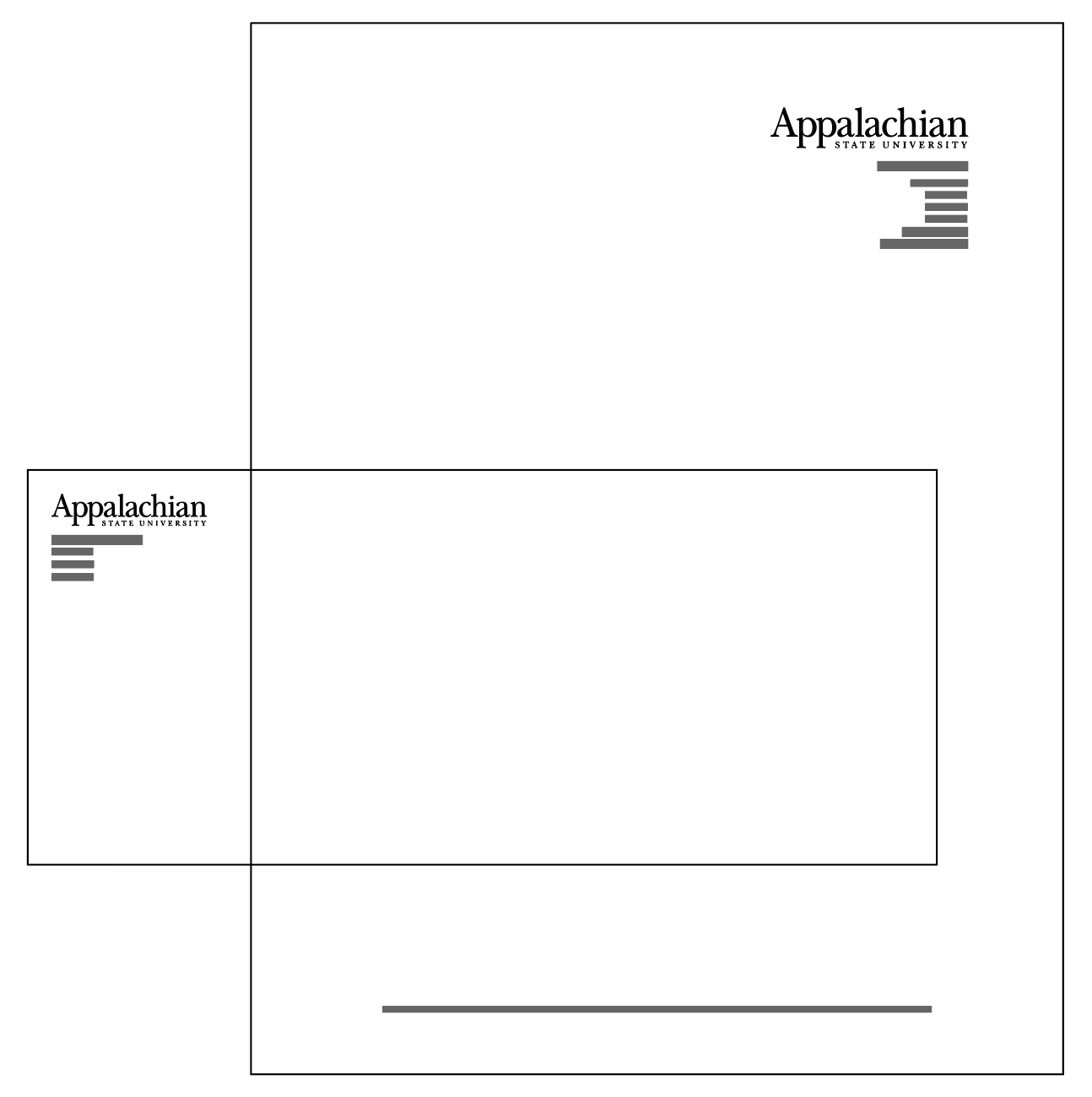
Letterhead
Logo: University logo only
Size: 8.5" x 11"
Ink: black only
Paper: white
No. 10 Business Envelope
Window or without window
Size: 9.5" x 4.125"
Ink: black only and prints on front of envelope, not the flap.
Paper: white
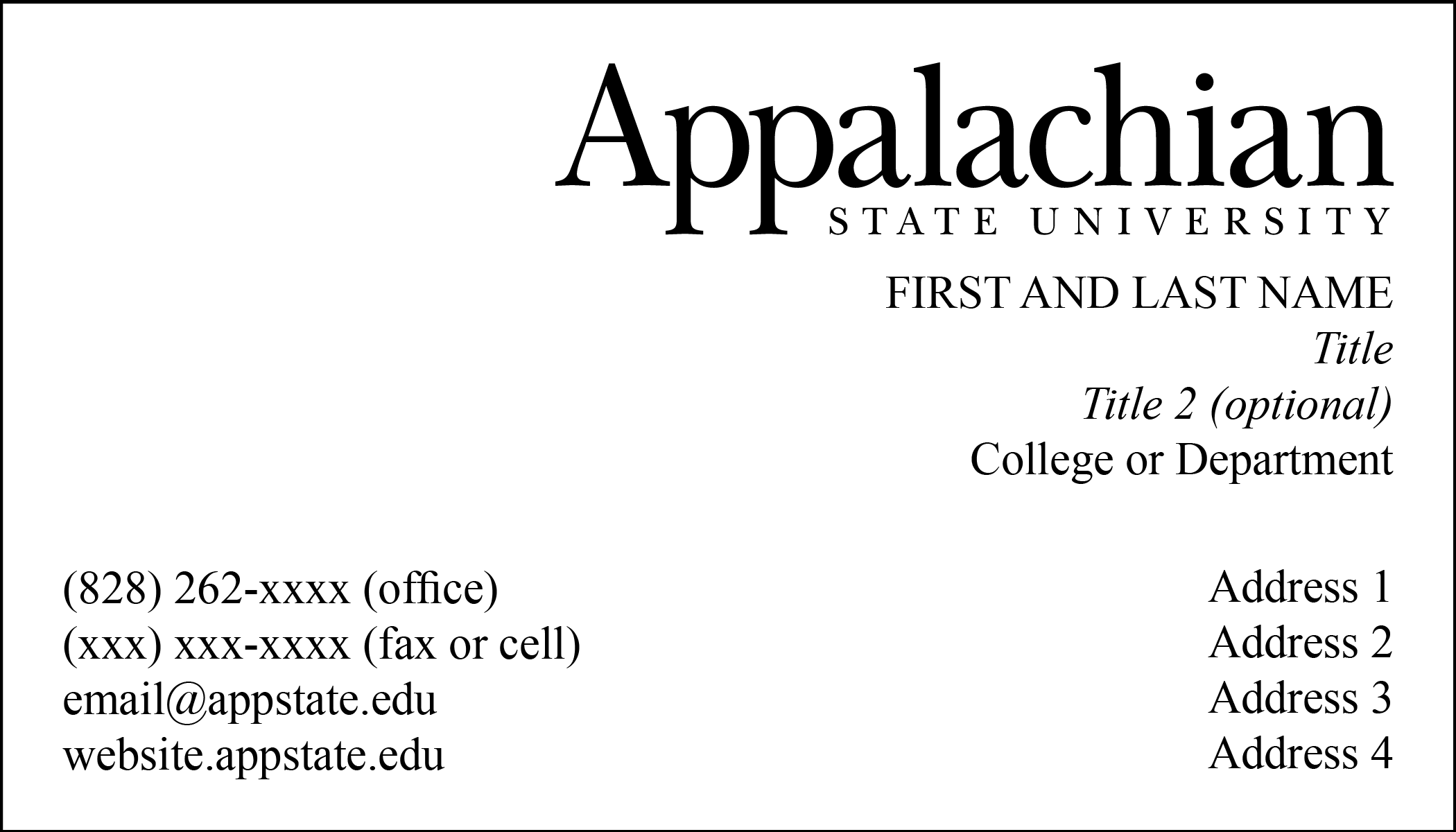
Order business cards via the Wallace Printing Online Ordering Portal. You will need to login using your App State username and password.
Guidelines
- Business cards are for current staff and faculty employed at Appalachian State University.
- Only primary contact information should be included. A business card is not meant to provide multiple addresses and phone numbers.
- The business card is not meant to provide information about your training or level of expertise. Therefore, professional certification initials should not be included. Exceptions are made where the academic certification has a direct bearing on your function represented by the job title on your business card.
- If you have a doctorate use the title Dr. or use Ph.D. at the end of your name, but do not use both. No courtesy title (Mr., Mrs. or Ms.) is used.
For any questions or problems, please contact Sarah McBryde at mcbrydes@appstate.edu.
Ordering App State Branded Nametags
All university nametags are ordered directly through the Consolidus online ordering portal found in YoMart.
All employees, including temporary employees, are eligible to order App State nametags. Current students who are employed by the university may have a student nametag ordered for them through the campus department or area where they work.
For any additional questions, please contact Sarah McBryde, University Brand Manager, University Communications: mcbrydes@appstate.edu.Nametag Ordering Instructions
- Log in to YoMart
- Select Consolidus from the PunchOut list
- Once in the ordering website, click All Products, then choose Nametags from the drop-down menu
- Select the name tag design you would like to order
- Click Build Product
- Choose your quantity
- Under Select Your Imprints: Name (included)/Full Color
- Choose Follow Instructions Below
- Add name in the Comments/Instructions Box
- Additional lines of text can be added under Want to add more imprints? Select an imprint below
- Click Add to Cart to complete your selection
- Choose nametag backing on the next page
Guidelines
Faculty and Staff Nametags
App State employees, including temporary employees, may choose from multiple approved design options.
- Names must be placed on the top line. Last names may be placed on a second line if needed.
- App State graduation years may be included using an apostrophe with the last two digits (e.g., ’25).
- Additional lines may be used for titles and departments as designated by the university.
- Courtesy titles (e.g., Mr., Mrs., Ms.) are not included.
- Professional degrees may be included on the name line if relevant to the employee’s position.
- “Dr.” may be used instead of “Ph.D.” when appropriate.
Student Nametags
Current App State students employed by the university may have a student nametag ordered through the department or campus unit where they work.
- Students may choose to display only their first name.
- Additional lines may be used for titles and departments as designated by the university.
- A student designator must be included in the box at the bottom of the name tag. Acceptable designations include:
- Student
- Graduate Student
- Class of 2027 (or appropriate graduation year)
- Graduate Assistant
- Student Government Association
- Student Employee
- Resident Assistant
- Other student organizations indicating student status
For questions about ordering name tags, contact Ronny Vorthong at Consolidus: ronny.vorthong@consolidus.com
The Appalachian equal opportunity, cost, and recycled paper statements, as well as the Appalachian logo, must appear on university publications.
Equal opportunity statement
The Equal Opportunity statement must be included in all recruiting materials for external audiences, the undergraduate and graduate catalogs and any other course bulletins, and the SPA Employee and Faculty Handbooks. When space is limited the url policy.appstate.edu/Equal_Opportunity can be used instead or the whole statement.
Printing cost and recycled paper statement
State regulations require cost and recycled paper statements on public documents printed in quantities of 200 or more that are produced with state-appropriated funds and intended for use by the public. Only publications printed for the sole purpose of sale to the public or with non-state appropriated funds are exempt from this requirement. The term "cost" shall include direct costs in the form of "labor, materials and other identifiable design, typesetting, printing and binding costs." The costs of writing and editing the publication are excluded if provided by in-house talent. The following wording must be used when printing cost statements:
______ copies of this public document were printed at a cost of $______ or $______ per copy.
Documents printed on recycled paper must contain a "printed on recycled paper" statement and/or the recycled symbol.
Appalachian State University's guideline is to use a minimum of 30% post-consumer waste paper.
Canva is an online graphic design tool used to create social media posts, presentations, posters, flyers and more.
Faculty and Staff: Canva Teams Access
Canva Teams enables real-time collaboration, shared designs and folders and access to centralized brand assets. App State fonts, colors, photos, logos and templates are preloaded into the platform, making it easy to ensure consistency and compliance with brand standards.
A limited number of licenses are available for faculty and staff.
Eligibility Criteria
Faculty/staff may request a Canva Teams account if they:
- Use Canva in teaching (course projects, branded class materials)
- Create student-facing resources (advising guides, program info, support materials)
- Produce official university communications (marketing, outreach, event promotion)
- Require brand templates/assets for consistent materials
Generally Not Eligible
- Faculty or staff whose Canva use is minimal, infrequent or limited to personal projects.
- Staff producing only internal documents (which can be created in Microsoft Office, Google Suite or Adobe Suite).
- Student workers, including Graduate Assistants.
How to Request
A limited number of licenses are available for faculty and staff. Faculty and Staff can inquire about a license using the Service or Software Request support ticket. To request a Canva license, see the Canva: For a Faculty/Staff License.
Students: Canva Teams Access
All currently enrolled App State students have free access to a Canva Teams account. Activate your student account through IT Support.
Best Practices
- Canva should not be used for multi-page booklets
- Posters sizes should be under 11x17 inches
- All communication and marketing materials should be reviewed and approved by a Communication Liaison for that area
Tutorials and Training
- Canva for Students: tutorials
- Canva: Get Started
- Canva: How-to videos
- Canva: Collaborate on Designs
- LinkedIn Learning
Personal or Previously Created Canva Accounts
Existing and Transferring Designs
If you have existing designs in a previously created Canva account, those designs will remain with the original account, but can be transferred to your new account.
Learn more about transferring Canva designs.
Toggle Between Accounts
Canva accounts cannot be merged, however, the interface does enable users to toggle between accounts.